[ Update 2025-10-17 ] Jamcorder: for many years I would have loved to have this! Basically, it’s a little device you can connect to any keyboard that can generate MIDI output; and it will record your playing any time you sit down and start pressing keys. In my typical day, sometimes I only have 10 or 20 minutes to play my piano, some exercises or songs ideas that may come up. The Jamcorder will faithfully record the performance in its voluminous memory for future uploading to my music production computer.
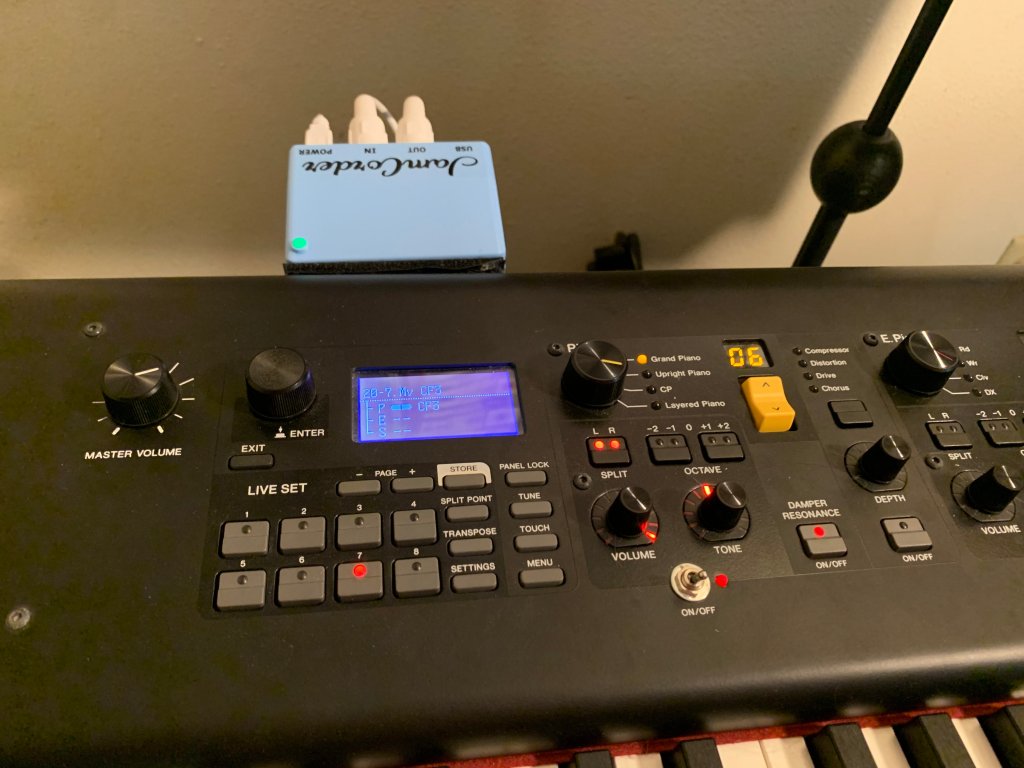
The photos below shows it connected to the MIDI ports of my Yamaha CP-88 piano and stuck on the back of it with velcro strips, ready to record at a moments notice (the led changes from green to red when you start.)

I don’t know of anything remotely similar to it and most highly recommend it. The old material below discusses a cumbersome hack I did a few years ago to try to emulate the function that the Jamcorder performs so seamlessly.
[ Original content from 2022] Basically I wanted a way to just be able to sit down at my digital piano, turn it on, and with a minimum of extra gear and steps, be able to start playing and capture the MIDI stream. The idea is to move the raw MIDI file to the big DAW for further editing/arranging/etc. Even going to a SSD main drive on my music production PC, it just seemed like overkill when all I want to do is capture MIDI noodling on my Yamaha CP88 electronic piano.
The solution I came up with is not 0-cost, but I already had the $200 barebones Chromebook. All I needed to buy was the $14.99 FL Studio Mobile app (6 stars out of 5!) and a USB extender ($25) since the stupid Chromebook has exactly one USB port (can you believe it?)
Anyway, a training professional will probably vomit at the amateurishness but I can’t spend a million hours making it perfect. I used Nero Video and exactly 0% copyrighted material.
You can check it out on youtube here (it’s about 8:25 long).
Major update 2025-10-17
 crow caw music works