[ Update 2026-08-02; 2025-10-17 ] Jamcorder: for many years I would have loved to have this! Basically, it’s a little device you can connect to any keyboard that can generate MIDI output; and it will record your playing any time you sit down and start pressing keys. In my typical day, sometimes I only have 10 or 20 minutes to play my piano, some exercises or songs ideas that may come up. The Jamcorder will faithfully record the performance in its voluminous memory for future uploading to my music production computer. The cool thing is that the Jamcorder is smart about when you’re not playing, and will create separate files if you go away for a period of time and then sit down to play again. It saves MIDI files which are of course tiny, and stamps them all with date and time. A medium size SDHC card will probably record 100 years worth of MIDI files.
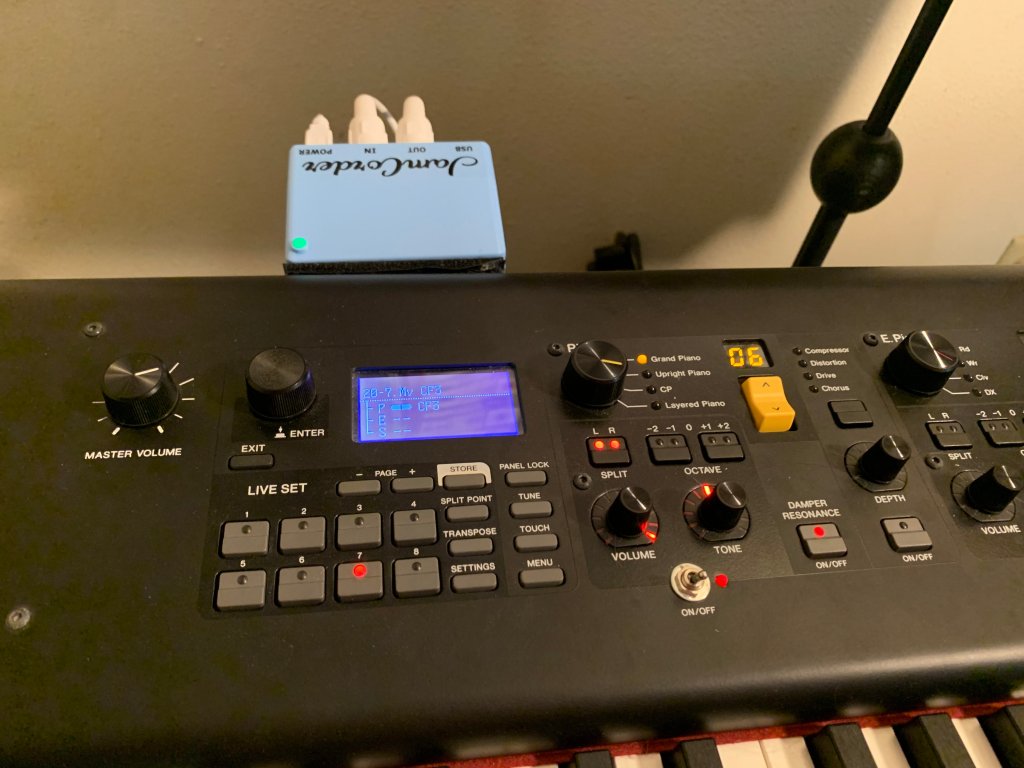
The photos below shows it connected to the MIDI ports of my Yamaha CP-88 piano and stuck on the back of it with velcro strips, ready to record at a moments notice (the led changes from green to red when you start.)

I don’t know of anything remotely similar to it and most highly recommend it. The old material below discusses a cumbersome hack I did a few years ago to try to emulate the function that the Jamcorder performs so seamlessly.
[ Original content from 2022] Basically I wanted a way to just be able to sit down at my digital piano, turn it on, and with a minimum of extra gear and steps, be able to start playing and capture the MIDI stream. The idea is to move the raw MIDI file to the big DAW for further editing/arranging/etc. Even going to a SSD main drive on my music production PC, it just seemed like overkill when all I want to do is capture MIDI noodling on my Yamaha CP88 electronic piano.
The solution I came up with is not 0-cost, but I already had the $200 barebones Chromebook. All I needed to buy was the $14.99 FL Studio Mobile app (6 stars out of 5!) and a USB extender ($25) since the stupid Chromebook has exactly one USB port (can you believe it?)
Anyway, a training professional will probably vomit at the amateurishness but I can’t spend a million hours making it perfect. I used Nero Video and exactly 0% copyrighted material.
You can check it out on youtube here (it’s about 8:25 long). I’m going to leave it up there on youtube but the Jamcorder is the infinitely more elegant and perfect solution.
A tiny comment on the Jamcorder and its connection to your keyboard. Most commercial keyboards of the last many years have a additional USB connector that will TX/RX MIDI. But for a few models, that interface won’t work properly with the Jamcorder. For instance, one of those is the Yamaha CP88 piano which I have. However, in 100% of cases, any keyboard with standard 5 pin MIDI in/out ports WILL work properly with the device, and the Jamcorder is shipped with short MIDI cables in case those are needed or preferred. The exceptions that the developer knows about are listed at Jamcorder | Piano Compatibility
Major update 2025-10-17

